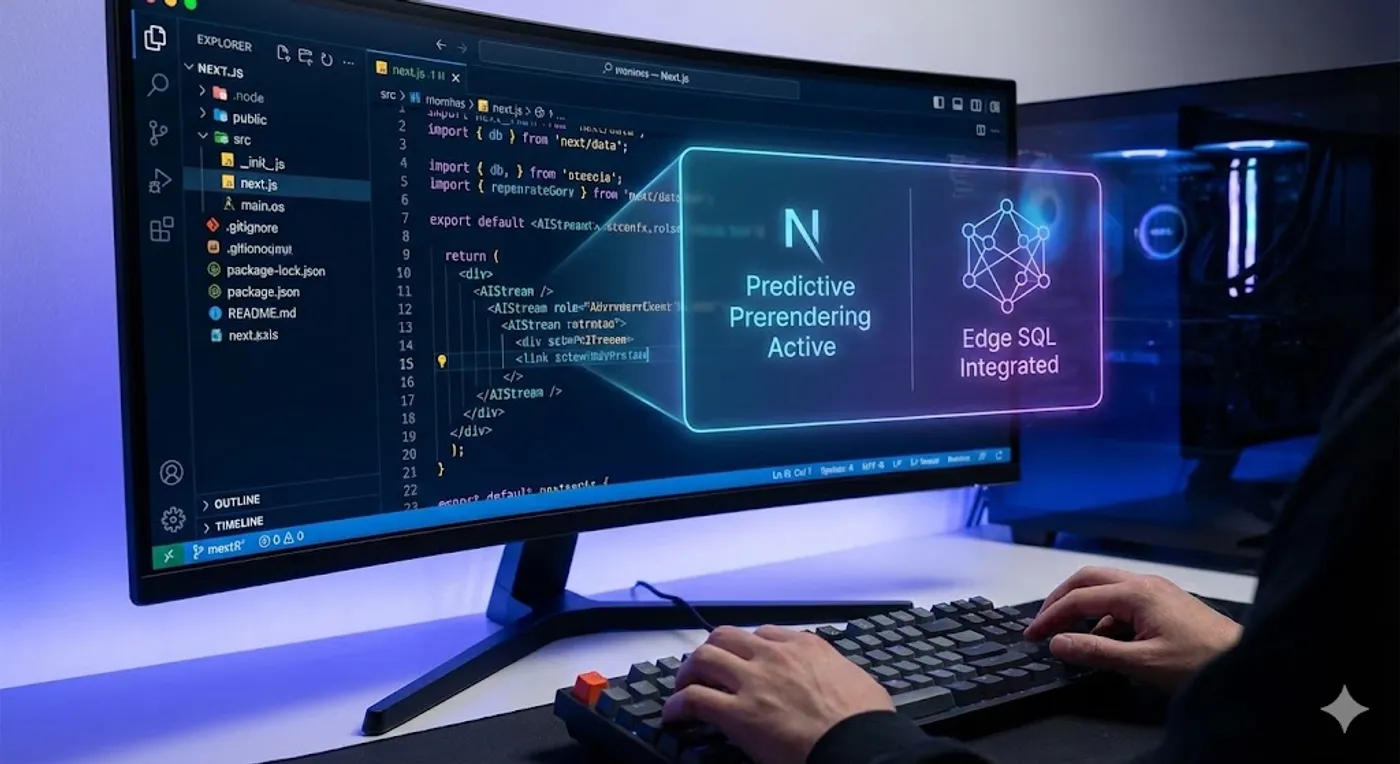
Next.js Is Evolving Fast — 10 Latest Features You Can’t Ignore in 2026
Remember the feeling? That gnawing dread as a new major framework version drops, bringing with it a whirlwind of breaking changes, new paradigms, and the immediate pressure to “learn it all or be left behind.” I’ve been there, staring at a massive legacy codebase, wondering how on earth we’d ever catch up. The frontend landscape is relentless, and Next.js, as a trailblazer, often feels like it’s setting the pace at warp speed.
But here’s the thing: by 2026, what might have seemed like cutting-edge features in Next.js just a year or two ago are now foundational. We’re not talking about minor syntax tweaks; we’re witnessing a complete re-imagining of how we build performant, scalable, and delightful web applications. If you’re still approaching Next.js with a 2023 mindset, you’re likely missing out on significant opportunities to simplify your architecture, boost performance, and radically improve developer experience.
In my experience, the teams that thrive aren’t just adopting new tech; they’re understanding the why behind the evolution. Next.js isn’t just piling on features; it’s solving real, gnarly problems that become exponentially harder as applications grow in complexity and user expectations.
Let’s dive into some of the latest, truly game-changing features you absolutely can’t afford to ignore by 2026, and how they reshape the way we think about web development.
The New Architecture: Beyond Simple Client-Server Splits
1. Deeply Integrated Server Components & Advanced Hydration Strategies
By 2026, the initial “Server Components vs. Client Components” mental model has matured significantly. It’s no longer just about use client directives. We’re seeing intelligent, partial hydration become the default, where only the truly interactive parts of your page are hydrated on the client, and exactly when they need to be.
This isn’t just about initial page load; it’s about sustained performance and resource efficiency. I’ve found that thinking of Server Components as rendering units and client components as interaction zones dramatically simplifies complex component trees.
// app/dashboard/page.tsx (Server Component)
import { Suspense } from 'react';
import { fetchAnalyticsData } from '@/lib/data';
import AnalyticsChart from '@/components/AnalyticsChart'; // This might be a Client Component
import UserProfile from '@/components/UserProfile'; // This could be a Server Component

export default async function DashboardPage() {
  const analyticsDataPromise = fetchAnalyticsData(); // Data fetched on the server

  return (
    <div className="space-y-6 p-8">
      <UserProfile /> {/* Rendered fully on server */}
      <h1 className="text-3xl font-bold">Your Dashboard</h1>
      <Suspense fallback={<p>Loading analytics...</p>}>
        <AnalyticsSection dataPromise={analyticsDataPromise} />
      </Suspense>
    </div>
  );
}

// components/AnalyticsSection.tsx (Server Component, waits for promise)
// This pattern allows for streaming independent parts of the page.
async function AnalyticsSection({ dataPromise }: { dataPromise: Promise<any> }) {
  const data = await dataPromise; // Resolves when data is ready
  return (
    <section className="bg-gradient p-6 rounded-lg shadow-xl">
      <h2 className="text-2xl font-semibold mb-4">Performance Overview</h2>
      <AnalyticsChart data={data} /> {/* AnalyticsChart is likely `use client` for interactivity */}
    </section>
  );
}
Insight: Most tutorials show simple examples. The real power comes in deeply nested Suspense boundaries and passing Promises directly to Server Components, allowing the framework to manage independent streaming and hydration, optimizing network requests and client-side JavaScript. This means components only “wake up” the client when absolutely necessary.
Pitfall: Over-eagerly adding use client to components that don’t need interactivity. This defeats the purpose and can bloat your client bundle. Always default to Server Components and only mark as use client when you truly need browser APIs, event listeners, or client-side state.
2. Colocated Server Actions and Form Mutations at the Edge
By 2026, Server Actions have become the de-facto standard for mutations and server-side logic from the client. But the evolution is in their deep integration with Edge Functions and the data layer. You’re not just sending a POST request; you’re invoking a server-side function directly, with automatic revalidation of cached data.
// app/actions.ts (Server Action, run anywhere)
'use server';

import { revalidatePath } from 'next/cache';
import { savePostToDB } from '@/lib/db'; // hypothetical DB utility

export async function createPost(formData: FormData) {
  const title = formData.get('title') as string;
  const content = formData.get('content') as string;

  if (!title || !content) {
    return { error: 'Title and content are required.' };
  }

  await savePostToDB({ title, content, authorId: 'current-user-id' });
  revalidatePath('/blog'); // Invalidate cache for blog listing page
  return { success: true };
}

// app/blog/new/page.tsx (Client component can use this action)
'use client';

import { createPost } from '@/app/actions';
import { useState } from 'react';

export default function NewPostPage() {
  const [status, setStatus] = useState<string | null>(null);

  const handleSubmit = async (event: React.FormEvent<HTMLFormElement>) => {
    event.preventDefault();
    const formData = new FormData(event.currentTarget);
    const result = await createPost(formData);
    if (result.success) {
      setStatus('Post created successfully!');
      // Optionally redirect
    } else {
      setStatus(`Error: ${result.error}`);
    }
  };

  return (
    <form onSubmit={handleSubmit} className="p-8 space-y-4">
      <input type="text" name="title" placeholder="Post Title" className="border p-2 w-full" />
      <textarea name="content" placeholder="Post Content" className="border p-2 w-full h-32"></textarea>
      <button type="submit" className="bg-blue-500 text-white p-2 rounded">Create Post</button>
      {status && <p className="mt-4 text-sm text-gray-600">{status}</p>}
    </form>
  );
}
Insight: The magic isn’t just in the use server directive, but in how it leverages the framework’s understanding of data dependencies. When a Server Action revalidatePaths or revalidateTags, Next.js intelligently clears relevant caches across the entire app, ensuring data consistency without manual invalidation logic sprawling across your codebase.
Pitfall: Treating Server Actions like traditional API routes. While they can do similar things, their strength lies in direct function calls and automatic cache invalidation. Don’t write separate API routes for simple mutations that could be Server Actions; you’ll lose out on built-in optimizations.
Performance & Data: A New Frontier
3. Global Data Primitives & Automatic Deduplication
Forget SWR or React Query for your initial data fetches. By 2026, Next.js offers declarative, automatic data fetching and caching primitives built directly into React and the framework. This includes automatic deduplication of fetch requests across Server Components, ensuring you only hit your data source once, even if multiple components request the same data.
// lib/data.ts
import 'server-only'; // Ensures this file only runs on the server

export async function getUserProfile(userId: string) {
  // In 2026, `fetch` automatically caches and deduplicates requests.
  // The 'force-cache' behavior is often default for static data,
  // while 'no-store' or 'no-cache' applies for dynamic.
  const res = await fetch(`https://api.example.com/users/${userId}`, {
    // Next.js intelligently infers cache behavior or allows explicit control.
    // For highly dynamic data, you might explicitly use { cache: 'no-store' }
    // or { next: { revalidate: 60 } } for time-based revalidation.
  });
  if (!res.ok) throw new Error('Failed to fetch user profile');
  return res.json();
}

// app/profile/[userId]/page.tsx
import { getUserProfile } from '@/lib/data';
import UserDetails from '@/components/UserDetails'; // Client Component
import UserPosts from '@/components/UserPosts';     // Server Component

export default async function ProfilePage({ params }: { params: { userId: string } }) {
  // This fetch call will be deduplicated if getUserProfile is called elsewhere
  // within the same request lifecycle (e.g., in a header component).
  const user = await getUserProfile(params.userId);

  return (
    <div className="p-8">
      <UserDetails user={user} />
      <h2 className="text-2xl font-semibold mt-8">Recent Posts</h2>
      <UserPosts userId={params.userId} /> {/* UserPosts might call getUserProfile again, but it's deduplicated */}
    </div>
  );
}
Insight: This isn’t just about making fetch work better; it’s about shifting the mental model from “where do I fetch data?” to “how do I define my data sources?” The framework handles the caching, deduplication, and revalidation almost transparently, drastically reducing boilerplate and potential race conditions.
Pitfall: Forgetting to explicitly opt-out of caching for truly real-time data (cache: 'no-store') or using third-party data fetching libraries without understanding their interaction with Next.js’s built-in cache. You might end up with stale data or inefficient double-fetching.
4. Advanced Streaming & Selective Component Hydration
Streaming has moved beyond just the page level. By 2026, you have fine-grained control over component-level streaming and selective hydration. This means you can stream content as it becomes ready, even deeply nested within your layout, with the option to hydrate specific interactive components before their surrounding static content is fully ready.
This dramatically improves perceived performance, especially for complex dashboards or social feeds where different parts of the UI depend on varying data sources and load times.
5. Edge-Native Database Connectors & ORMs
The rise of Server Components and Edge Functions has pushed database providers to offer Edge-native database connectors and ORMs. By 2026, connecting to your database from an Edge Function or Server Action is as seamless and performant as possible, with optimized connection pooling and reduced latency. This finally makes true “full-stack at the edge” a reality.
// lib/db-edge.ts (hypothetical edge-optimized ORM client)
'use server';
import { createEdgeClient } from '@your-edge-orm/client';

const db = createEdgeClient({
  connectionString: process.env.DATABASE_URL_EDGE,
  // Other edge-specific optimizations like connection pooling, region awareness
});

export async function getRecentArticles() {
  // This ORM client is optimized to run efficiently from an Edge function/Server Component
  return db.article.findMany({
    orderBy: { createdAt: 'desc' },
    take: 5,
  });
}
Insight: This shifts database access from a backend server concern to an integral part of your Next.js application, blurring the lines between frontend and backend and enabling truly global, low-latency data operations.
Pitfall: Assuming traditional ORMs will perform well at the Edge. Latency, connection management, and database proximity are critical. Always use database clients specifically designed or optimized for Edge environments.
Developer Experience & Tooling: Smarter, Faster, More Insightful
6. “Smart” Compiler with AI-Powered Optimization Hints
Turbopack continues to evolve, but by 2026, it’s not just fast; it’s intelligent. The compiler provides AI-powered optimization hints directly in your IDE and during builds. It can suggest:
- Optimal
use clientplacements. - Areas for
Suspenseboundaries to improve streaming. - Potential hydration pitfalls.
- Better data fetching strategies based on usage patterns.
This proactive feedback loop significantly shortens the debugging cycle and helps even experienced developers catch subtle performance issues.
7. Universal Configuration & Environment Management
Managing environments (.env, next.config.js, Vercel project settings) can be messy. By 2026, Next.js offers a unified, declarative configuration system that spans local development, CI/CD, and deployment. Think of it as a single source of truth for your app’s configuration, reducing environment-related bugs.
8. Advanced Debugging & Observability for Server Components
Debugging Server Components can be tricky due to their distributed nature. By 2026, integrated debugging tools offer a unified view of server-side execution, client-side hydration, and network requests. You can step through Server Component renders, trace data flow from fetch to revalidate, and visualize hydration boundaries directly in your browser’s dev tools or a dedicated Vercel interface.
9. Zero-Config Internationalization (i18n) at the Edge
True zero-config i18n at the Edge is a reality. Next.js, combined with Edge Functions, automatically detects user locale and serves localized content and assets with minimal latency, removing the complexity of routing, content negotiation, and client-side translation libraries.
10. Native WebAssembly (Wasm) Integration for Server Components
For highly compute-intensive tasks, Next.js now supports native WebAssembly (Wasm) modules within Server Components. This allows developers to offload complex algorithms (e.g., image processing, heavy data transformations, scientific computations) to highly optimized Wasm binaries that run efficiently on the server and potentially at the Edge.
What Most Tutorials Miss & Key Takeaways
Most introductory tutorials show you how to use a feature. What they often miss is the architectural implications. These 2026 features aren’t just new toys; they demand a shift in mindset:
- Default to Server: Always ask: “Does this component absolutely need to be interactive on the client?” If not, keep it on the server.
- Embrace Async: Your component tree is now inherently asynchronous. Leverage
async/awaitin Server Components andSuspensefor loading states to manage this flow gracefully. - Think Data-First: Next.js wants to own your data fetching and caching. Understand its primitives (
fetchcache,revalidatePath,revalidateTag) before reaching for external solutions. - The Edge is Your New Backend: For many applications, the “backend” logic shifts closer to the user, handled by Edge Functions and Server Actions. Design your data access and mutations with this in mind.
By embracing these paradigm shifts, you’re not just keeping up with Next.js; you’re building applications that are inherently more performant, more scalable, and ultimately, more resilient. It’s an exciting time to be a web developer, and Next.js is truly leading the charge.